Personal project · In progress
At home, everything in its place
Building a solution for my most personal product: my home.
Problem
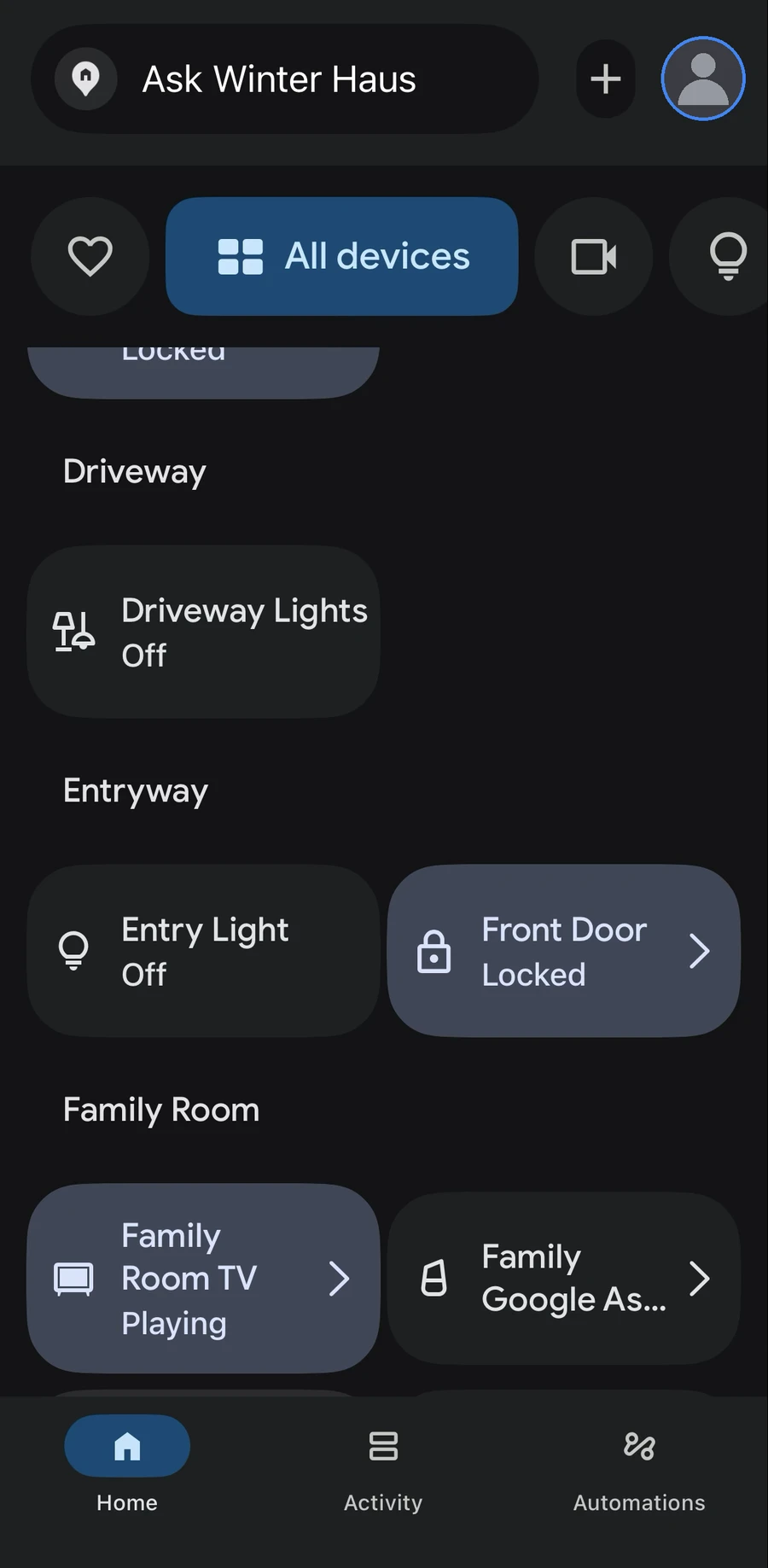
Smart home apps don’t know your home
Google and Apple build for every home, so their apps are generic: lists of rooms and device names that leave you to work out which one is the lamp beside you. With lights, speakers, cameras and locks from several brands, each in its own app, the house on your screen stops matching the one you live in. The real opportunity is an app made for your home and the things in it.
The idea
Show every device exactly where it lives
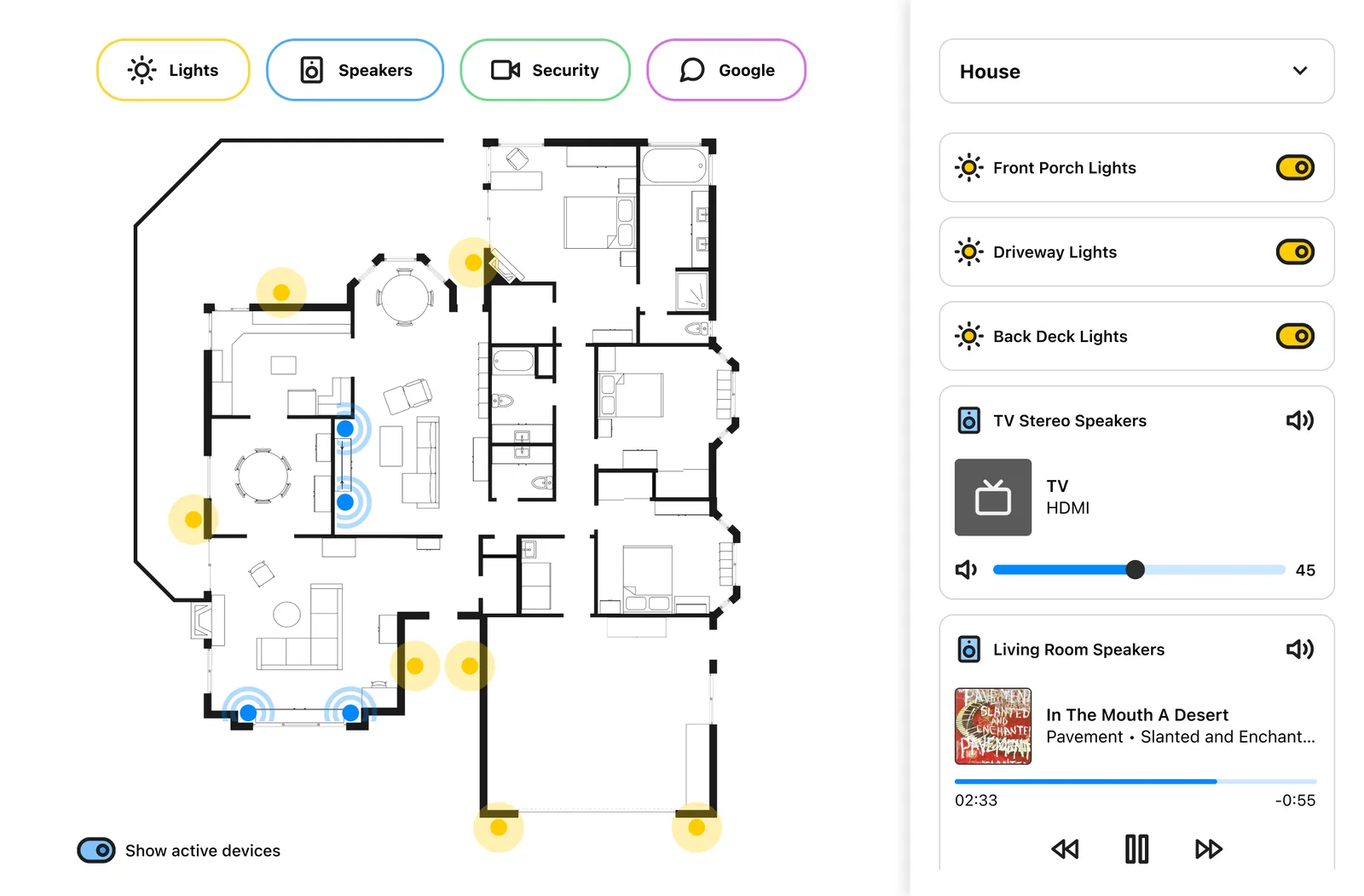
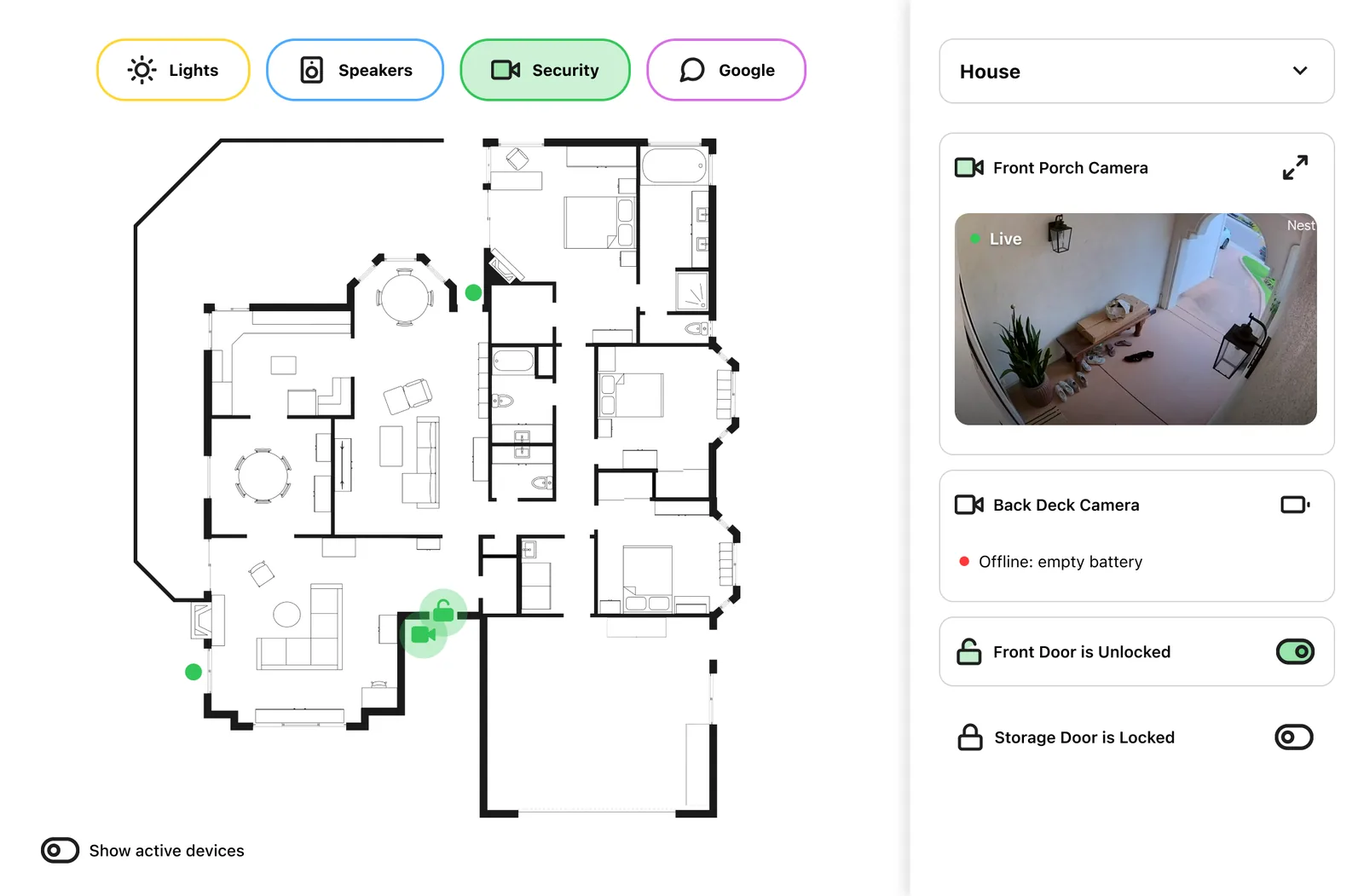
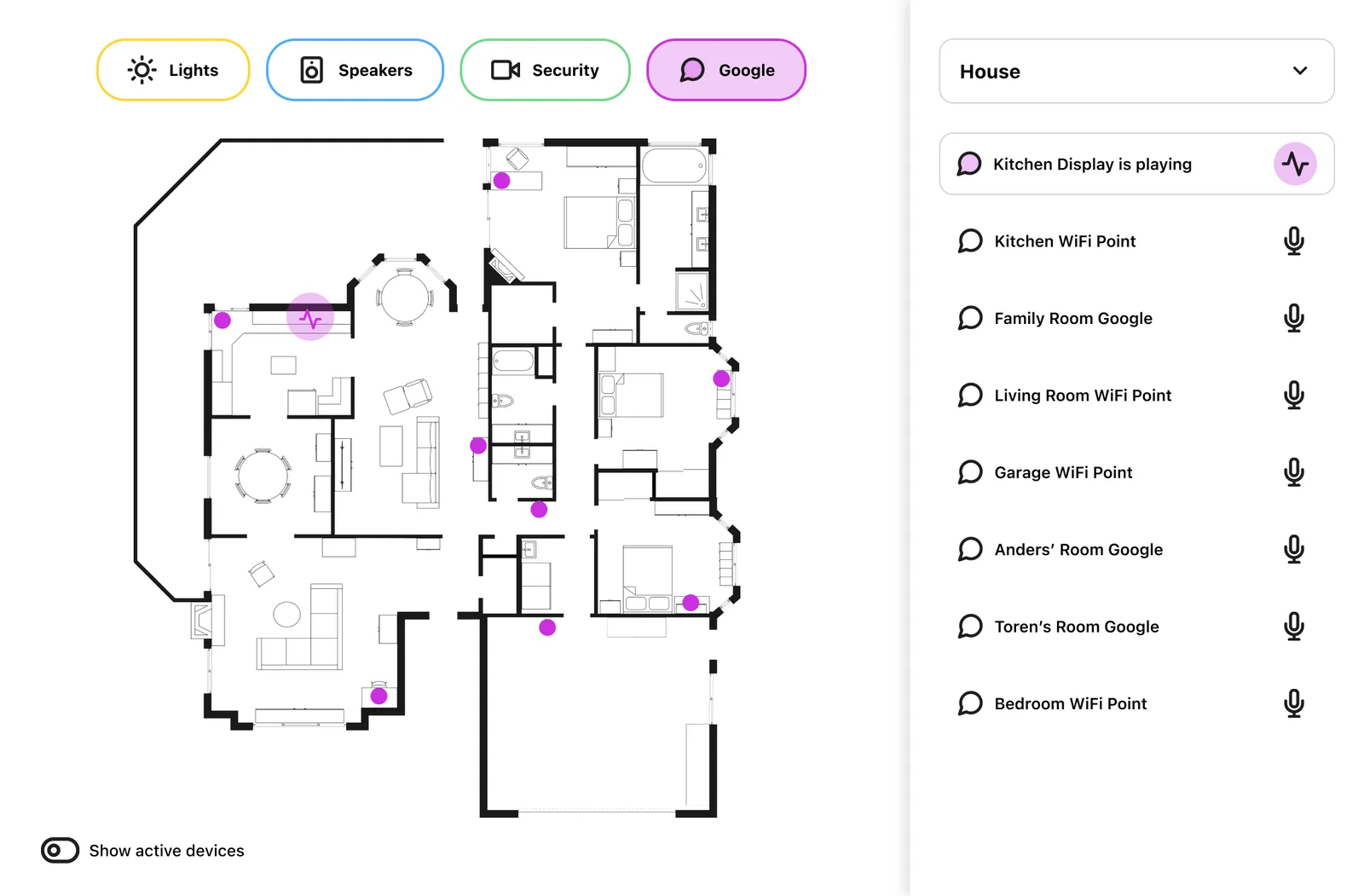
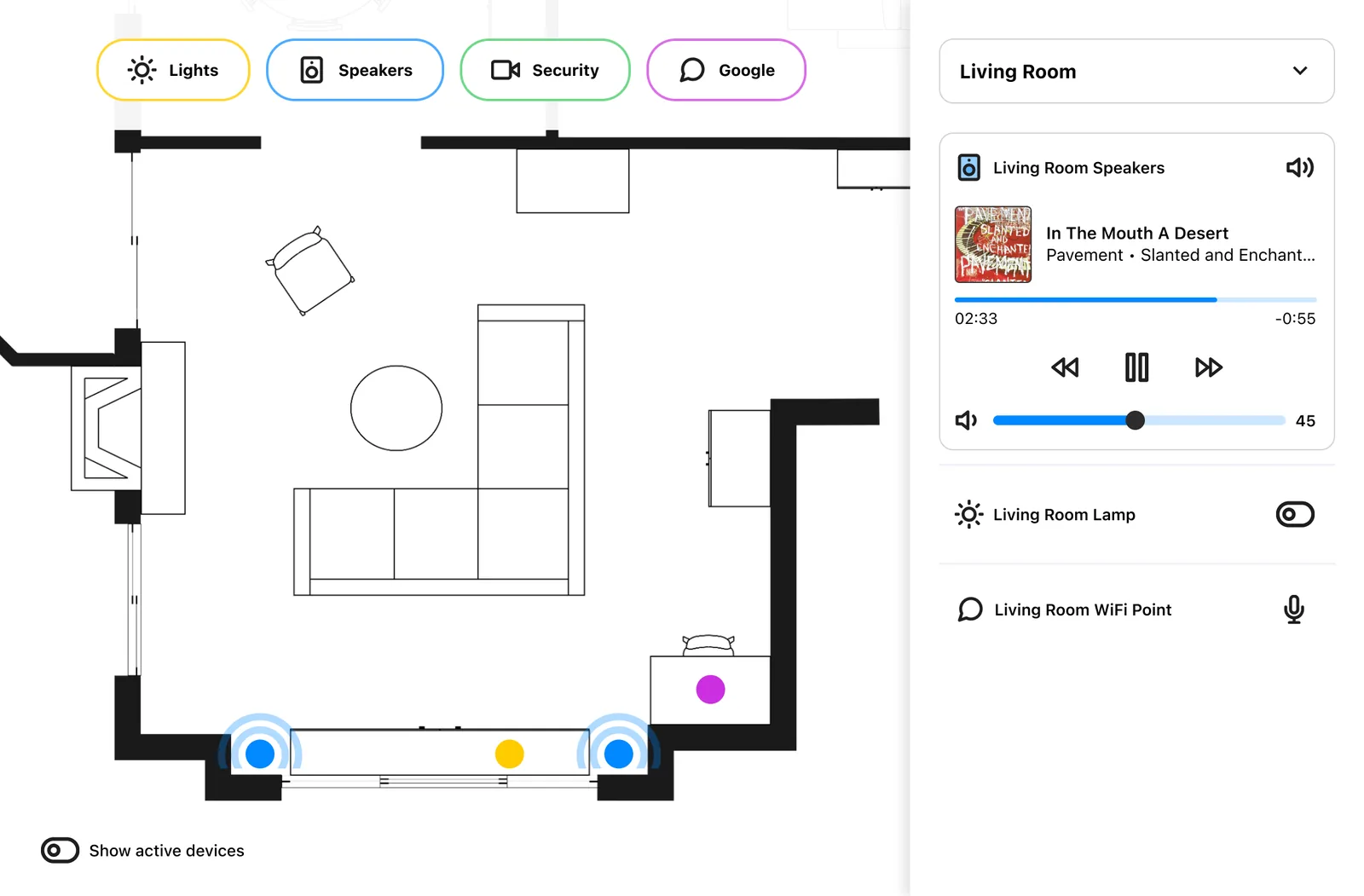
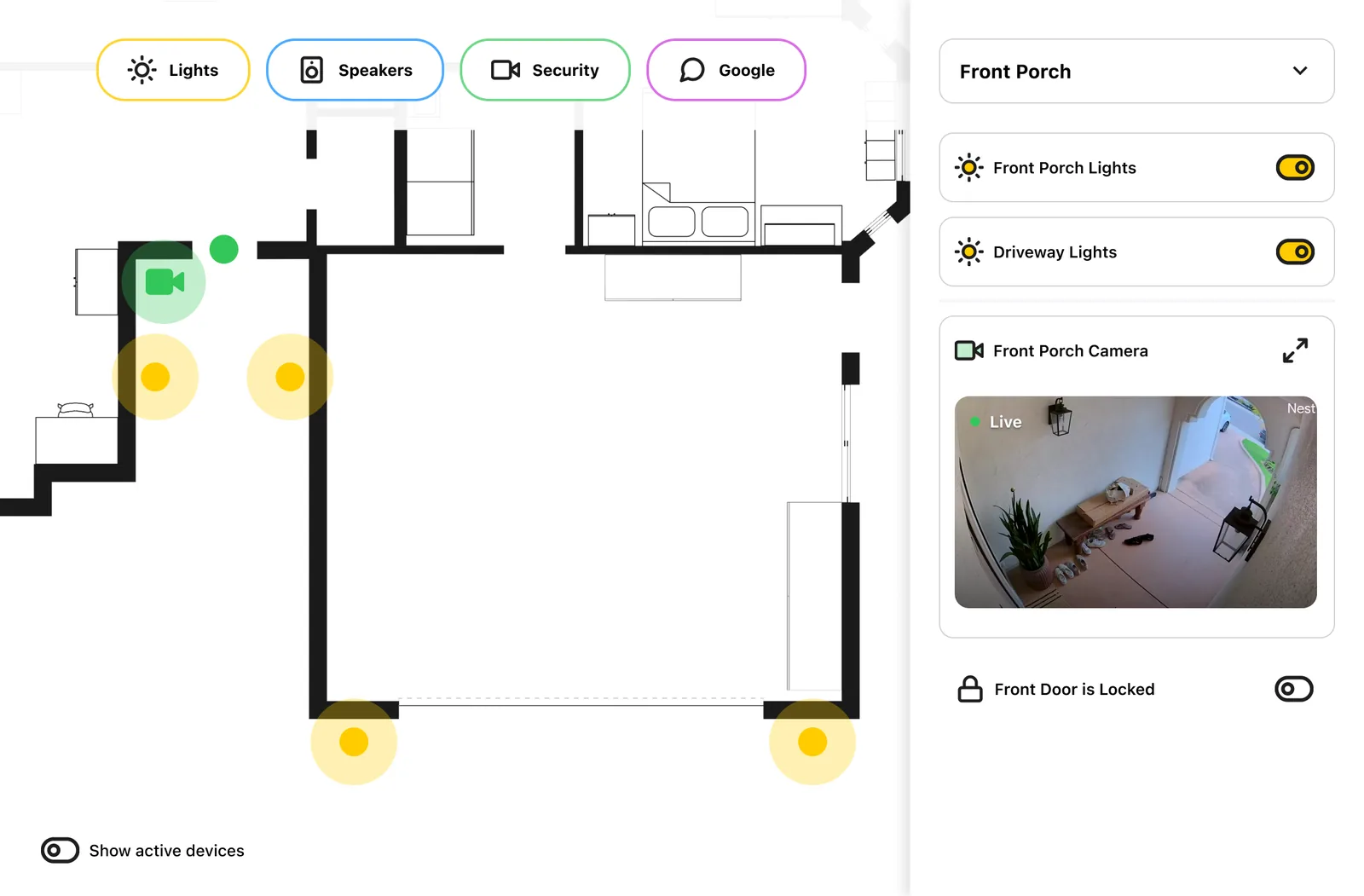
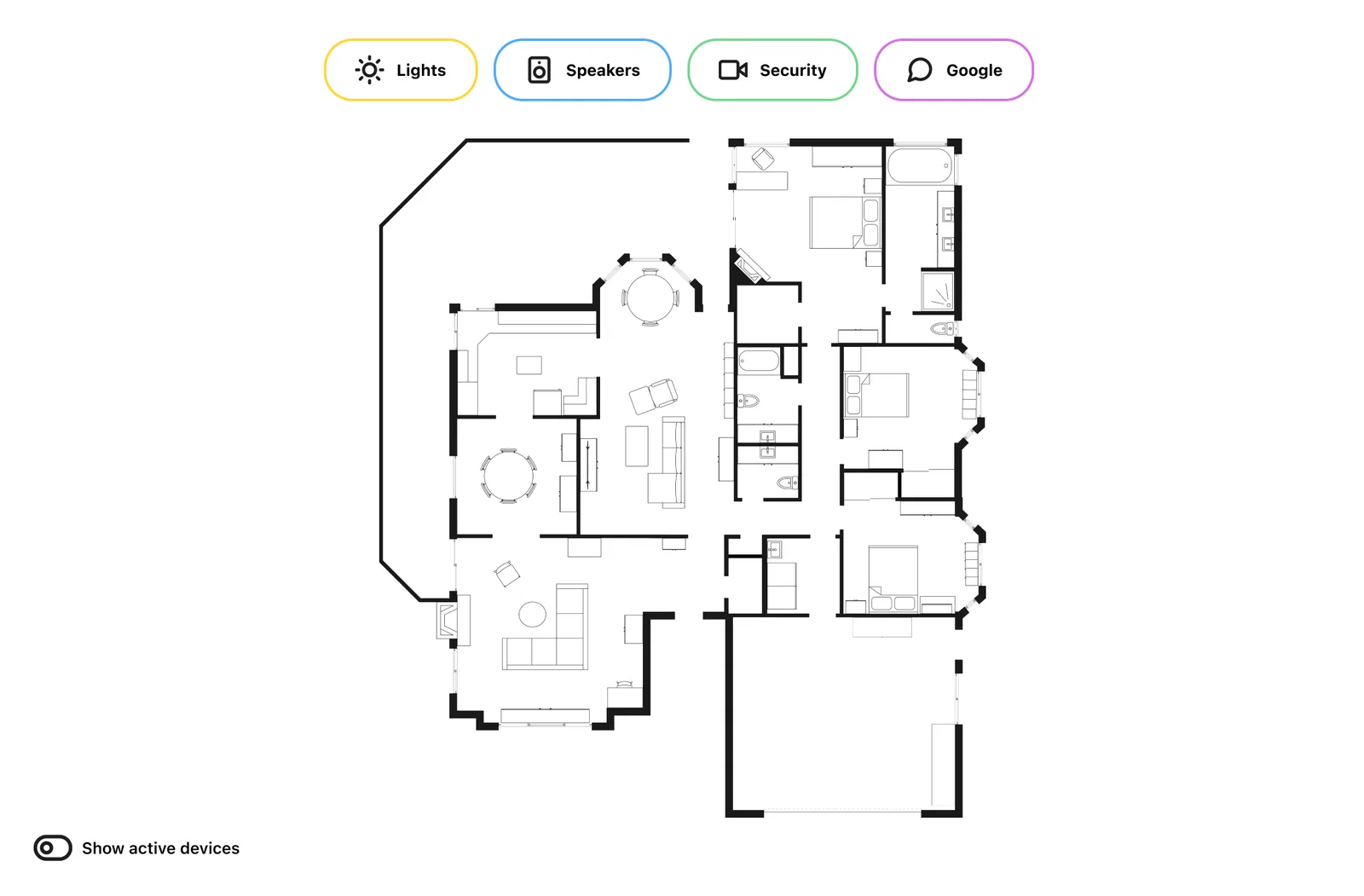
The interface is my floor plan. Every light, speaker, camera and lock sits in the room it's in, and anything that's on shows up at a glance. A side panel holds quick controls for what's active right now.
Design
Three ways into the same house
- Active devicesThe default view shows only what's on, so the house answers "what's running?" before you ask.
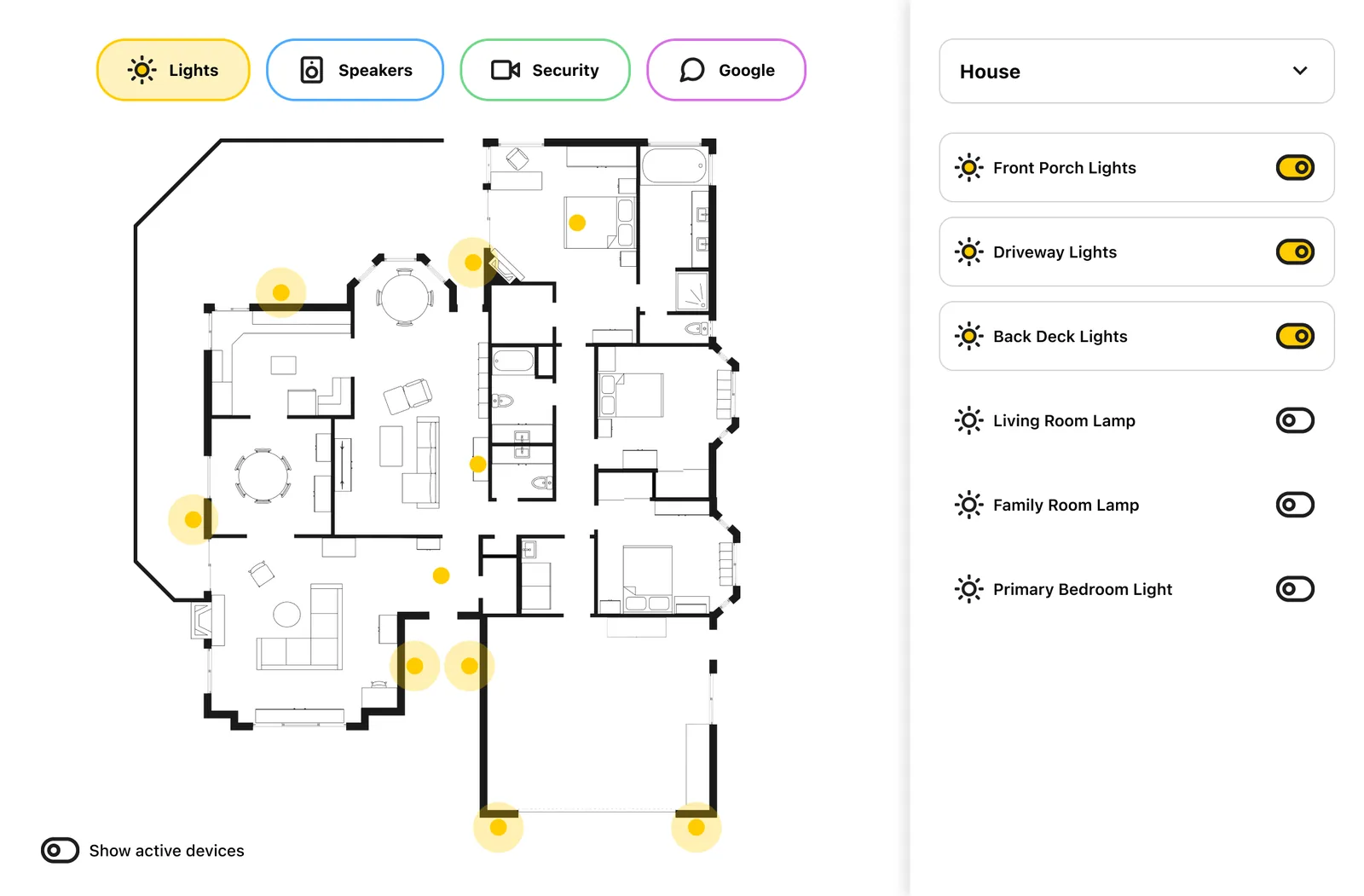
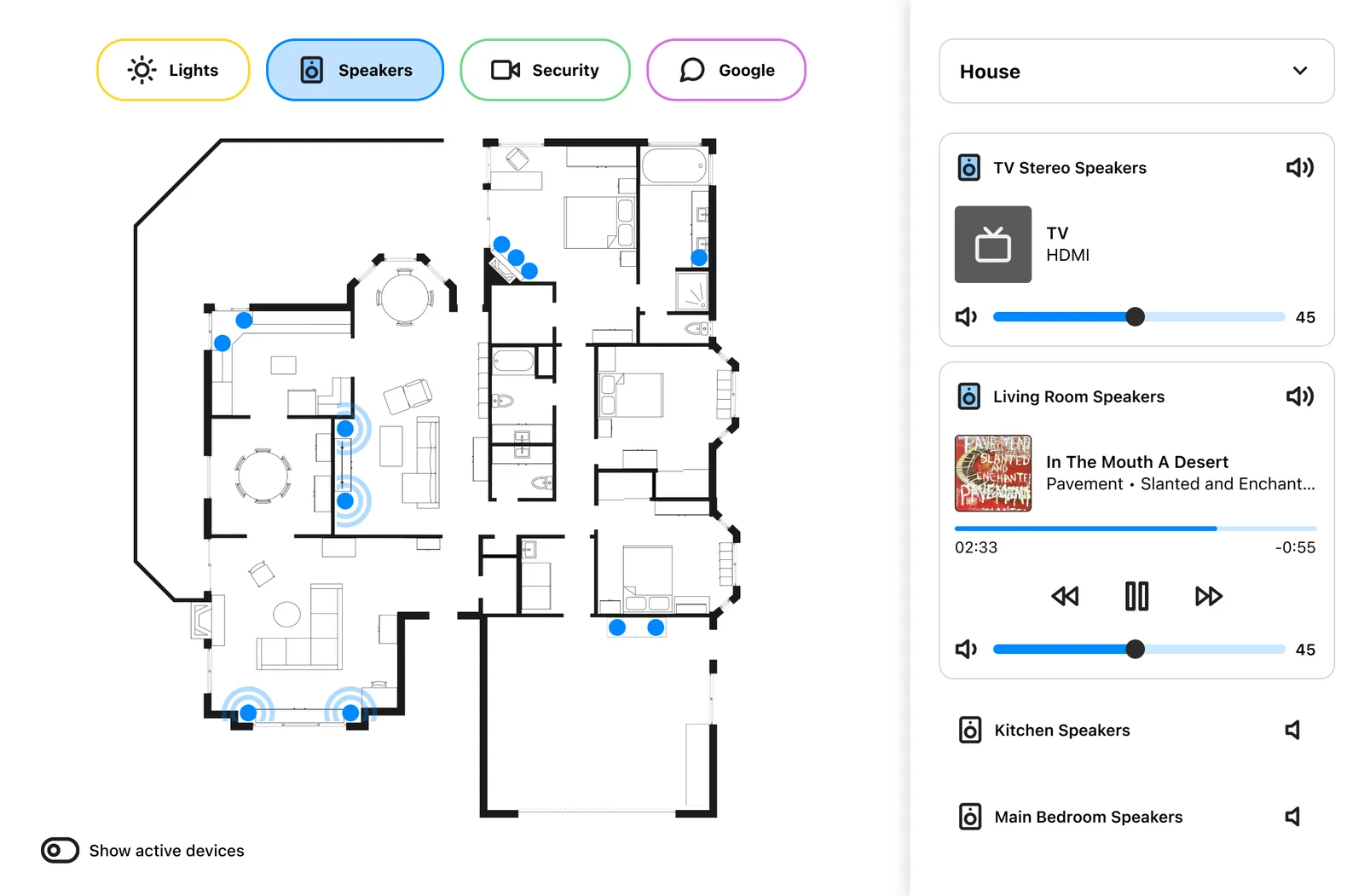
- FiltersLights, Speakers, Security and Google toggles show devices by type across the whole house, with controls for each.
- A view for every roomTap a room to zoom in, like the living room or front porch, and see every device in one panel.
Build
Designing and building
I started with the house itself, using the Magicplan app to plot our floor plan and furniture, then refining and editing its vector drawings in Figma. Every connected light, Sonos speaker, Google wi-fi point, as well as our many other smart devices, are all mapped to the Home Assistant platform. Early rough prototypes are running and I’m iterating on them with Claude. I’m also building and prototyping in Figma Make to refine interactions and components.
What's next
A console on the wall, a remote on the couch
- iPads in the main roomsTwo or three dedicated iPads on magnetic wall chargers, so each one is a console on the wall or a device you take to the couch.
- More devicesMore smart lights and devices throughout the house, added as I go.
- VoiceVoice input that simply calls up our Gemini assistant.
- Deeper integrationThe outside cameras, choosing and queueing music from Sonos or Spotify, light dimming, and broadcasts over Google.